


Rolldorado Login and Registration
Rolldorado login gives you fast, secure access to all features of our online casino. After signing in, you can explore thousands of games, claim bonuses, and manage your profile. If you are new here, registration takes just a few minutes — and once your account is ready, everything the platform has to offer is right there waiting.



Rolldorado Registration
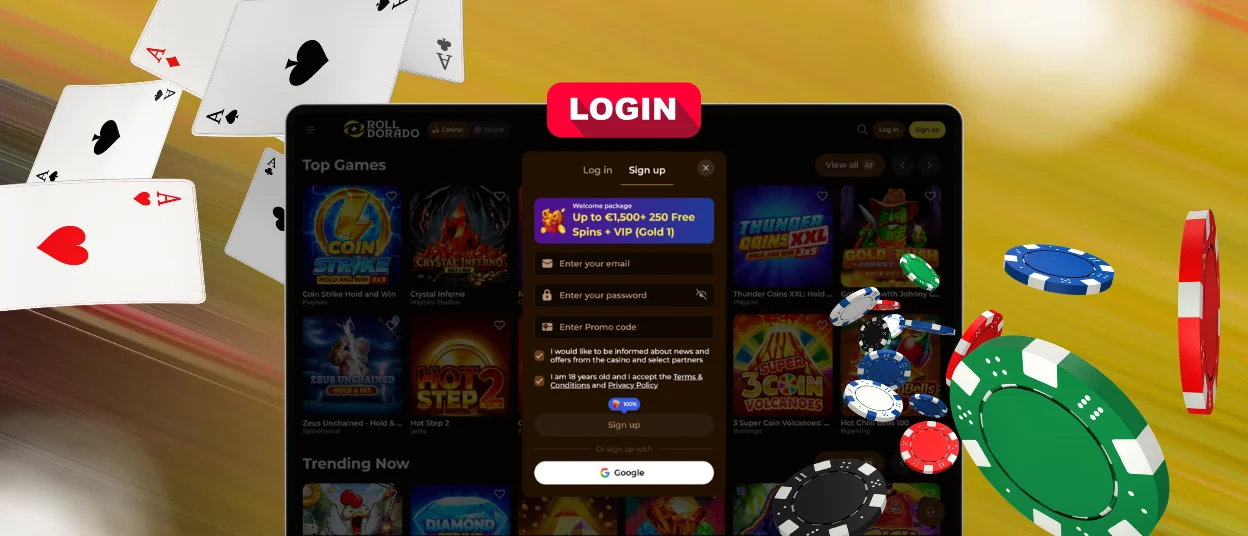
Creating an account at Roll Dorado Casino is a two-step process. First, you enter your email address and create a password. Once you click “Sign Up,” the second screen will prompt you to enter your name, date of birth and phone number.
This information is required by Rolldorado to verify that you are 18 years of age or older and for the security of your account. One player can have only one active account. The platform’s anti-bot systems automatically check registrations.
Once you’re registered, you get full access to the game catalog.
| Step | What to do |
| Click “Sign Up” | Find the button in the top-right corner of the Roll Dorado homepage. |
| Enter your email and password | Use a valid email address. Your password must be at least 6 characters. |
| Click “Sign Up” | Submit the first form. |
| Fill in your details | Enter your first and last name, date of birth, and phone number. |
| Click “Save” | This completes your registration. Your account is now active. |
Rolldorado Login and Account Management
Once you have a Roll Dorado account, logging in takes a few seconds. Click “Log In” in the top-right corner of the page, enter the email and password you registered with, and click confirm. Your session opens on any device—desktop or mobile—and all your data stays synced.
After the Rolldorado login, your personal dashboard gives you direct access to everything you need. Here’s what you can do inside your account:
- Wallet—deposit funds from €20 via Visa, Mastercard, Skrill, Neteller, or crypto, and request withdrawals from €50.
- Bonus section—claim your active offers, enter promo codes, and track wagering progress.
- History—your full transaction log and gaming sessions are there whenever you need to check something.
- Profile settings—change your name, contact details, or saved payment methods at any time.
- Security settings—update your password or switch 2FA on from here.
- Gambling controls—cap your deposits, limit session length, or take a break when needed.
Forgot Your Password?
Head to the Roll Dorado login form and click “Forgot password?” You’ll get an email with a link to reset your password. Please follow the instructions to establish a new password.
If you have also lost access to your registered email address, please contact the support team using the provided channels, and they will help you recover your account.
Verification at Rolldorado Casino
KYC (Know Your Customer) is the identity check Roll Dorado runs before your first withdrawal. It confirms who you are, that you’re of legal gambling age, and that your account stays under your control.
Head to your account settings and upload these documents to get verified:
- Identity document—passport, national ID card, or driver’s license
- Proof of address—a utility bill or bank statement dated within the last 3 months
Rolldorado’s team reviews documents within 48 hours. After that, withdrawals open up with no extra steps.
Account Security at Roll Dorado
Roll Dorado runs TLS 1.3 with 256-bit AES encryption across the board. For logging in, making a deposit, or updating your profile, everything travels over a secure HTTPS connection.
Unusual activity triggers the platform’s intrusion detection system automatically. Payments go through PCI-DSS-certified processors, and Rolldorado handles all personal data in line with GDPR.
Two-factor authentication (2FA) is an extra check when you log in, like a code sent to your email or authenticator app. Turn it on in security settings, and your account stays locked to anyone with just your password.
A few practical steps that keep your account secure:
- Use a unique password: don’t use one from another site.
- Enable 2FA as soon as you register.
- Check your login history in the security settings regularly.
- If you see any activity you don’t recognize, contact support right away.
FAQ
Can I change my password or email address?
Yes. After completing the Rolldorado login, go to Security Settings to change your password. For an email address change, contact support via live chat. They check your identity and make the update on their end.
What should I do if my account is locked?
A lock usually kicks in after several failed Roll Dorado login attempts or a sign-in from an unfamiliar location. Send a message to support via live chat: they’ll confirm it’s you and get your account back open.
Can I have more than one account?
One account per player—that’s the rule at Rolldorado. Duplicate accounts violate the terms of service, and the platform suspends all of them permanently, including any funds inside.


